> ## Documentation Index
> Fetch the complete documentation index at: https://qawolf-mintlify-a5022248.mintlify.site/llms.txt
> Use this file to discover all available pages before exploring further.
# How to integrate a non-native bug tracker with webhooks
> If we don't support your bug tracker through a native integration, you can still use webhooks to integrate.
We know that each implementation will vary. Please reach out and let us know if you need any support.
### Set up the integration
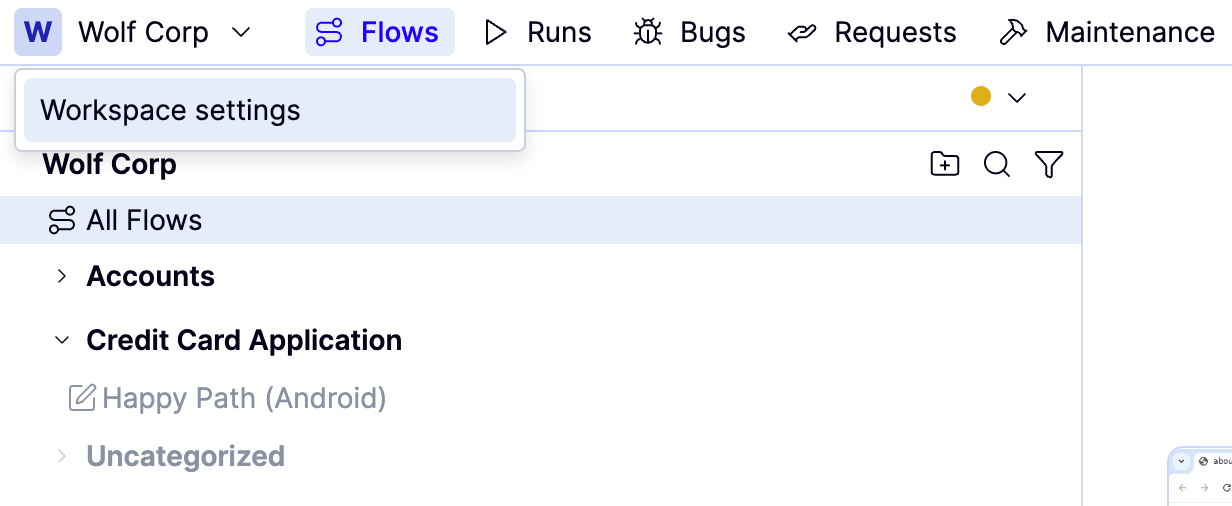
Open the `Workspace name` dropdown and click **Workspace settings**.
 Navigate to **Integrations**.
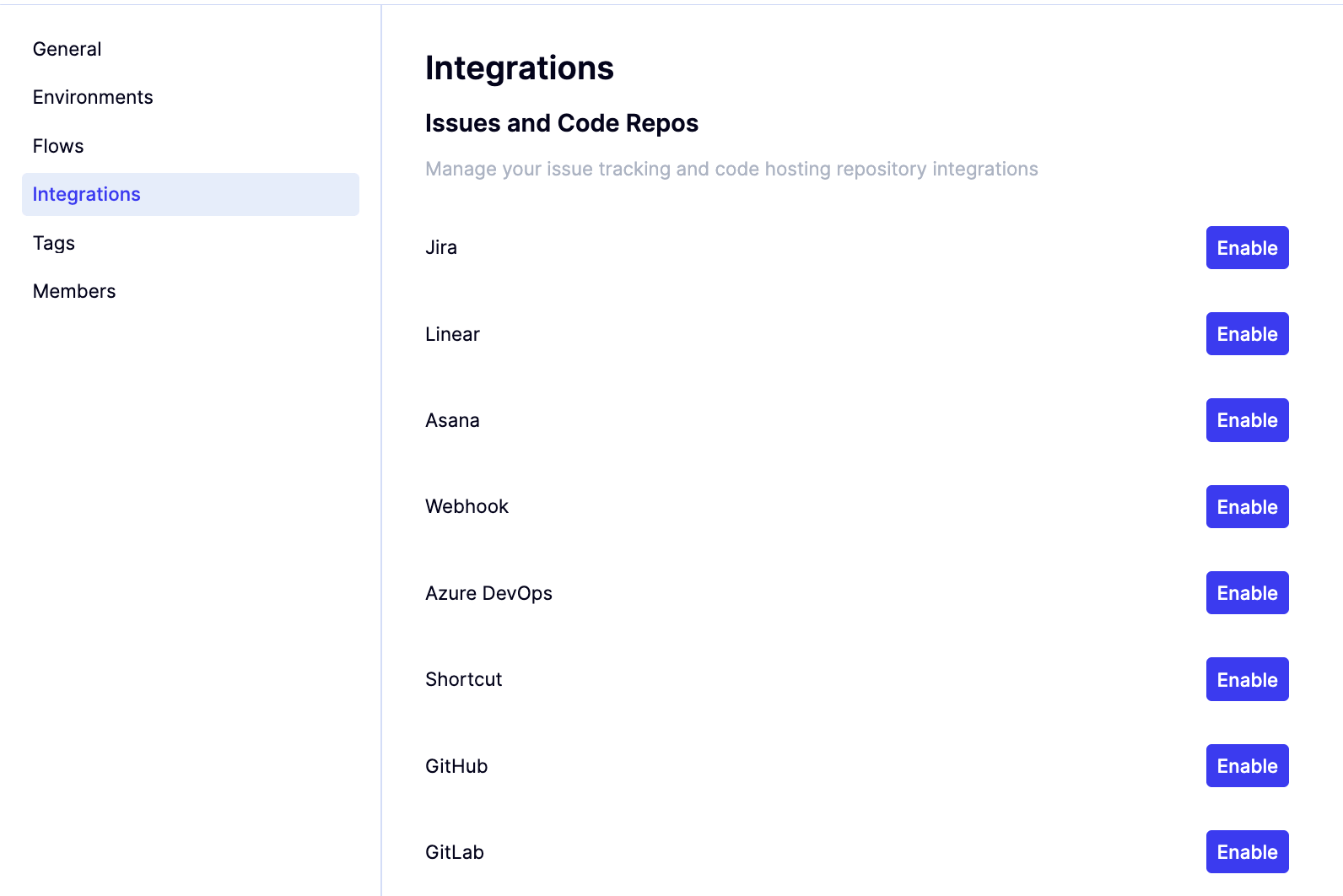 Click **Enable** next to Webhook.
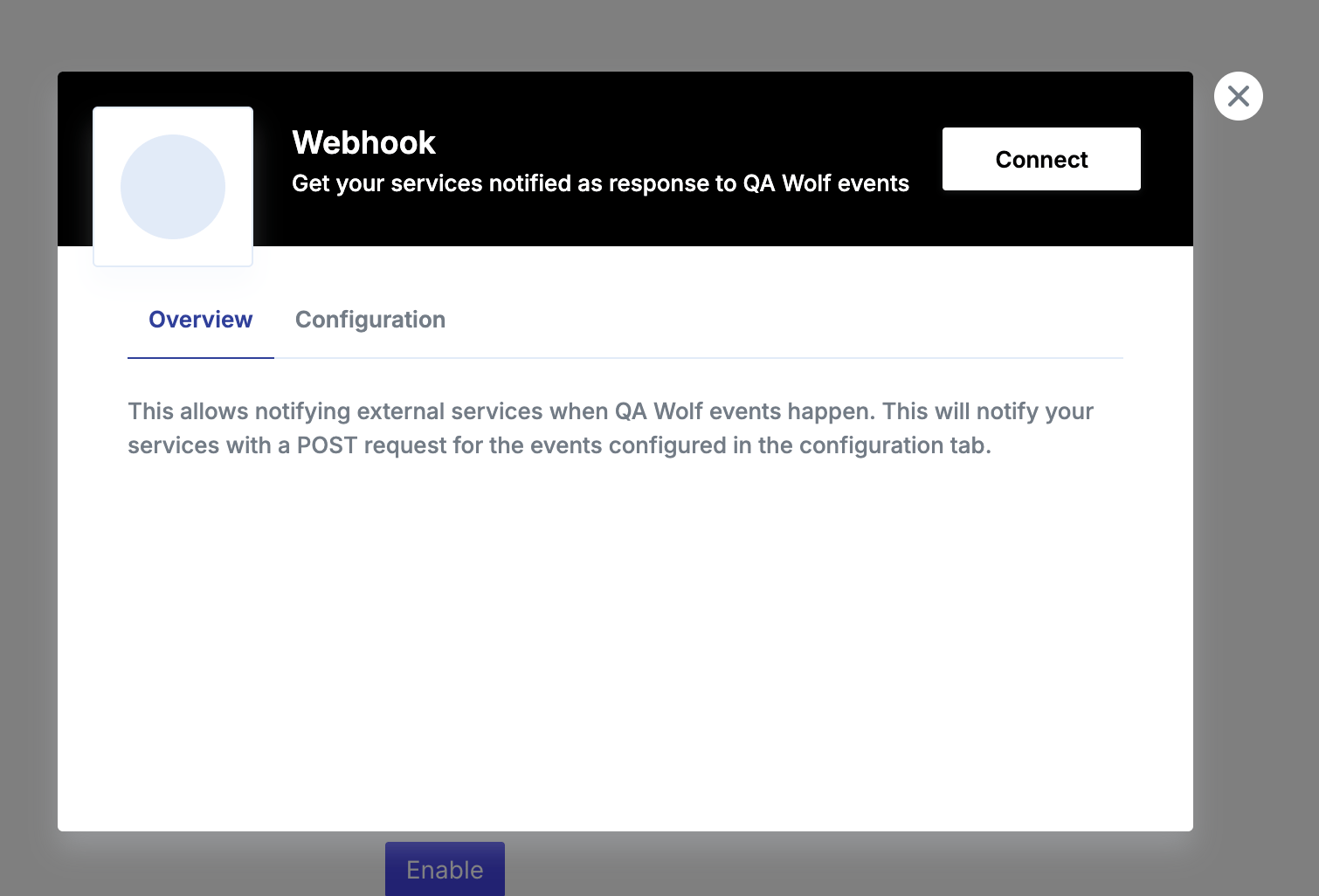
 Click **Connect** in the modal.
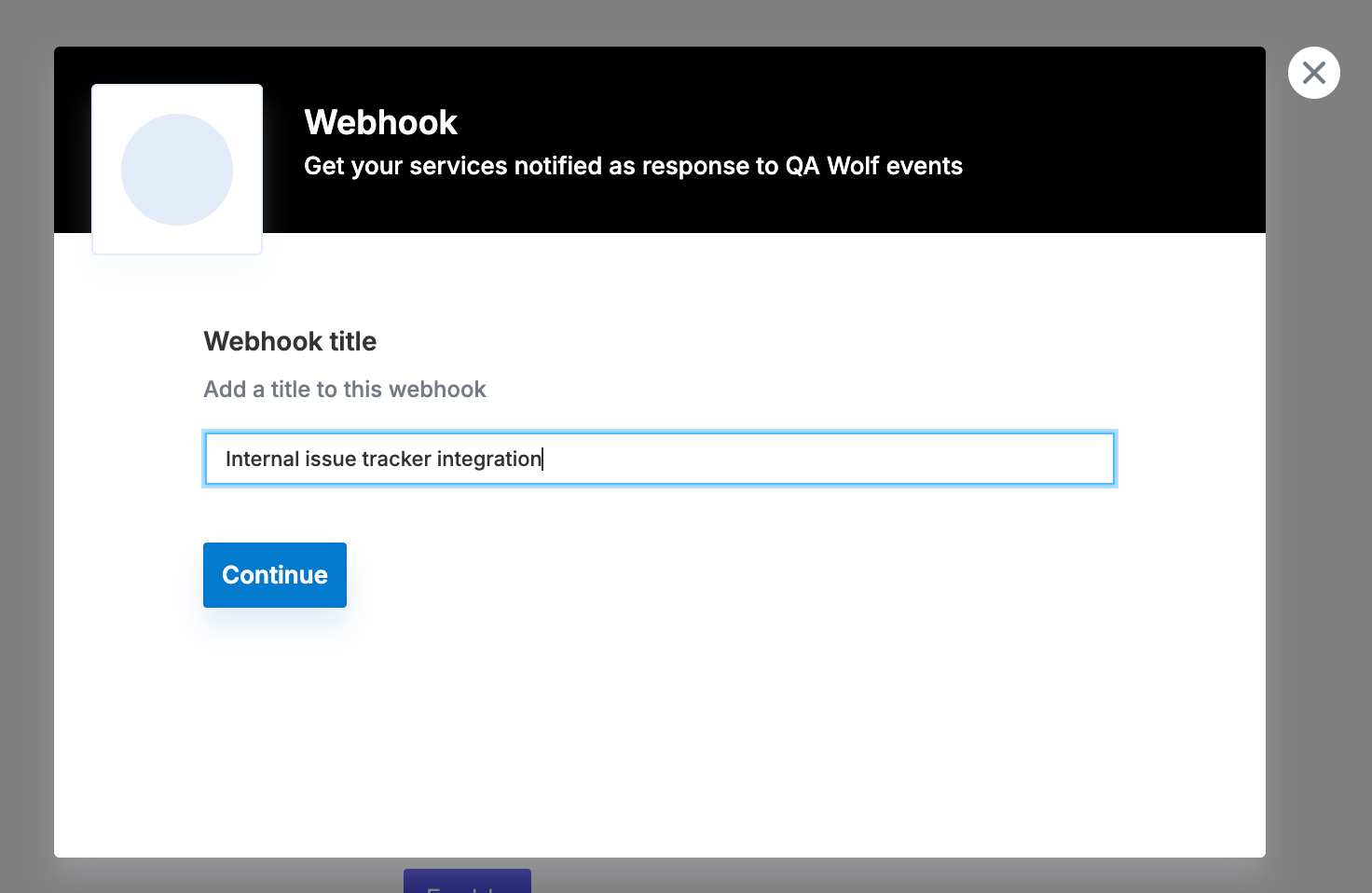
 Define a webhook title.
 Define the webhook URL and enable "Notify when bug report is opened." This is the location of the webhook used by your bug tracker.
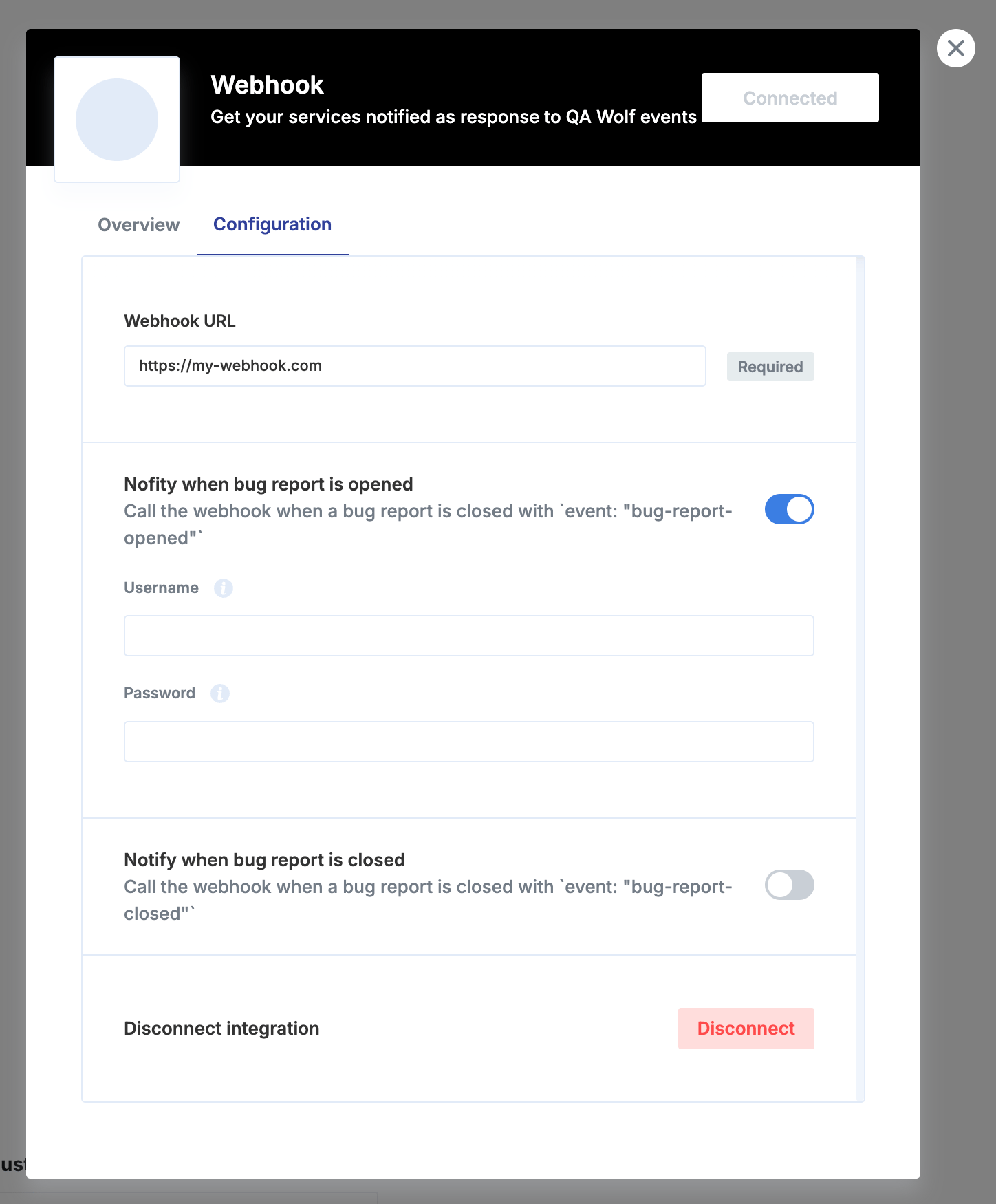 When an issue is created, your endpoint will receive `POST` requests with a JSON body (`Content-Type: application/json`). Here's the expected structure and an example payload.
#### Expected JSON Body Fields
The primary data is in the request body:
* `id` (`string`): Unique bug report ID.
* `title` (`string`): Bug report title.
* `description` (`string`): Detailed description (may contain newlines/links).
* `url` (`string`): Link to view the bug report in QA Wolf.
* `event` (`string`): `bug-report-opened`.
#### Example Payload
This example shows the full request structure your endpoint will receive:
```json JSON theme={null}
{
"id": "",
"title": "Bug Report Title",
"description": "🐞\n\nBug report description:\nYou can see it here.\n\nBug report:\nhttps://app.qawolf.com/test-client/bug-reports/...\n\nAffected workflows:\n\n\nIf you are aware of this bug you can set the priority to low which will prevent it from causing a run failure.",
"url": "https://app.qawolf.com/bug-reports/...",
"event": "bug-report-opened"
}
```
#### Authentication
If username and password are set, those will be used for basic HTTP authorization when performing the `POST` request against your webhook.
Enable the "Notify when bug report is closed" toggle:
When an issue is created, your endpoint will receive `POST` requests with a JSON body (`Content-Type: application/json`). Here's the expected structure and an example payload.
#### Expected JSON Body Fields
The primary data is in the request body:
* `id` (`string`): Unique bug report ID.
* `title` (`string`): Bug report title.
* `description` (`string`): Detailed description (may contain newlines/links).
* `url` (`string`): Link to view the bug report in QA Wolf.
* `event` (`string`): `bug-report-opened`.
#### Example Payload
This example shows the full request structure your endpoint will receive:
```json JSON theme={null}
{
"id": "",
"title": "Bug Report Title",
"description": "🐞\n\nBug report description:\nYou can see it here.\n\nBug report:\nhttps://app.qawolf.com/test-client/bug-reports/...\n\nAffected workflows:\n\n\nIf you are aware of this bug you can set the priority to low which will prevent it from causing a run failure.",
"url": "https://app.qawolf.com/bug-reports/...",
"event": "bug-report-opened"
}
```
#### Authentication
If username and password are set, those will be used for basic HTTP authorization when performing the `POST` request against your webhook.
Enable the "Notify when bug report is closed" toggle:
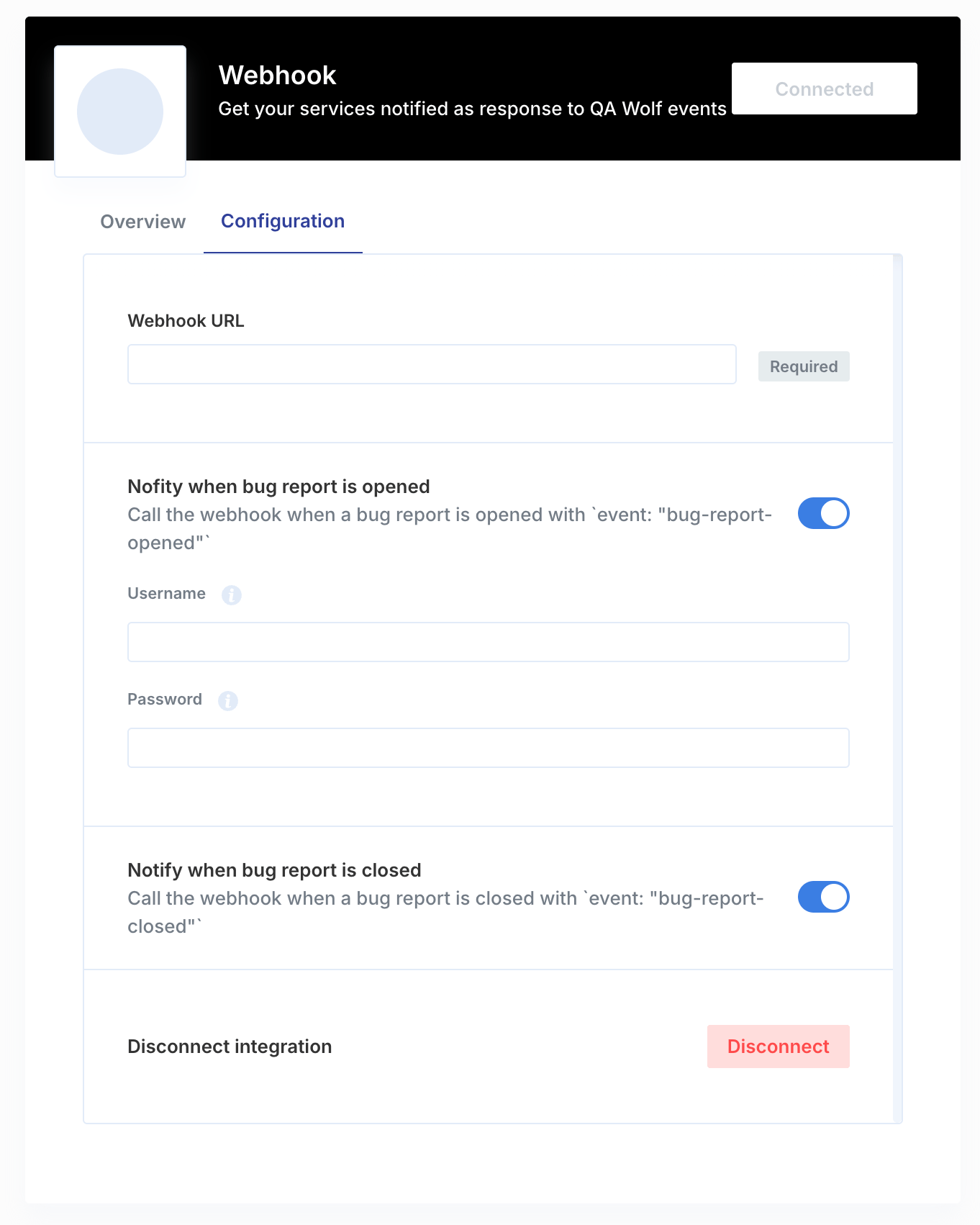 Make your webhook respond to the `POST` request with a payload containing these fields:
* `externalId` (`string`): ID of the issue for the QA Wolf bug report in your issue tracker. It will be used to identify issues that will need to be updated in the future.
* `humanId` (`string`): Human-friendly issue ID that will be used on QA Wolf UI, Slack messages and other integrations.
* `url` (`string`): Link to the issue.
**When a bug report is closed**, your endpoint will receive `POST` requests with a JSON body (`Content-Type: application/json`). Here's the expected structure and an example payload.
#### Expected JSON Body Fields
The primary data is in the request body:
* `externalId` (`string`): The ID of the issue associated with the closed bug report.
* `event` (`string`): `bug-report-closed`.
Make your webhook respond to the `POST` request with a payload containing these fields:
* `externalId` (`string`): ID of the issue for the QA Wolf bug report in your issue tracker. It will be used to identify issues that will need to be updated in the future.
* `humanId` (`string`): Human-friendly issue ID that will be used on QA Wolf UI, Slack messages and other integrations.
* `url` (`string`): Link to the issue.
**When a bug report is closed**, your endpoint will receive `POST` requests with a JSON body (`Content-Type: application/json`). Here's the expected structure and an example payload.
#### Expected JSON Body Fields
The primary data is in the request body:
* `externalId` (`string`): The ID of the issue associated with the closed bug report.
* `event` (`string`): `bug-report-closed`.